
A virtual event is an event that takes place entirely online, with speakers and audiences joining remotely rather than gathering in a physical venue. Unlike a traditional event, everyone takes part through an online platform rather than meeting in the same physical space.
Participants take part through digital platforms such as Zoom, Microsoft Teams, or dedicated webinar platforms rather than attending in person.
When people ask what is a virtual event, they are usually referring to an organised session that happens fully online rather than in a physical location.
The technology, however, is only part of the answer.
Almost everyone has joined an online meeting. Far fewer have experienced a properly produced virtual event. The difference is not the platform. It is the planning, structure and production that sit behind it.
At its simplest, and sometimes at its worst, a virtual event can resemble a standard video call.
When it is handled properly, however, it becomes a structured event designed specifically for a remote audience, with a clear running order, moderated discussion, and deliberate production choices that help the session flow smoothly. This structure is closely linked to virtual event engagement, which is often lost when events feel improvised.
We've all sat through virtual events that felt like someone sent a calendar invite and hoped for the best. Speakers talking over each other, awkward silences while somebody tries to share their screen, and the inevitable "Can everyone hear me?" before anything useful has even happened.
The problem is that your audience doesn't have to stay. They're watching from a laptop at home or between meetings in the office, with emails arriving every few minutes and a hundred other things competing for their attention. If the event feels disorganised or difficult to follow, they'll quietly switch off. They may still be logged in, but that doesn't mean they're listening.
A well-produced virtual event earns that attention. It feels calm, purposeful and worth staying for, even though the audience may never notice the production decisions that made it feel that way.
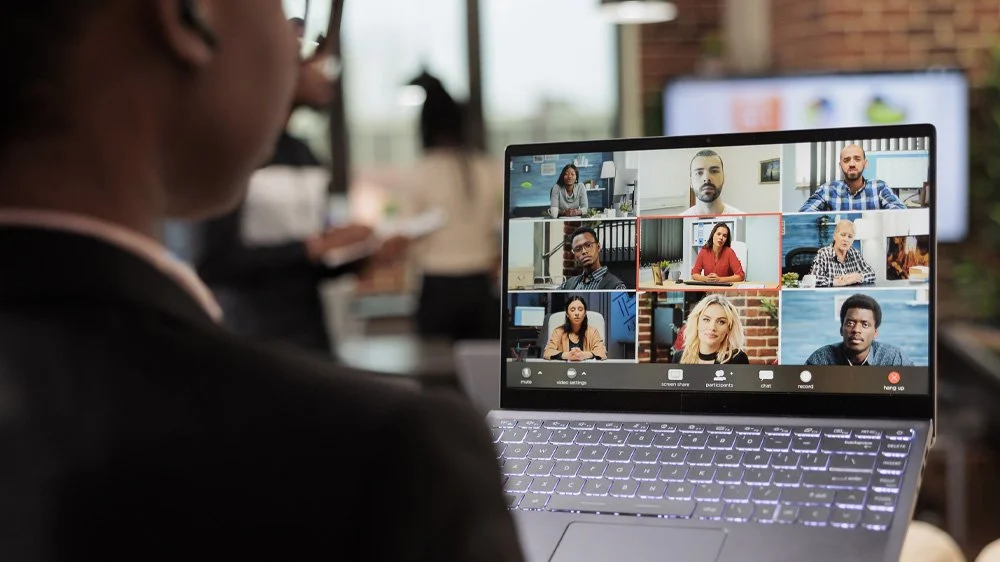
How Virtual Events Work
Most virtual events bring together several elements at once.
There are speakers presenting or taking part in a discussion. There is an audience joining from different locations. There is a platform hosting the session, and there is usually some form of production management helping the event run smoothly behind the scenes.
In many cases the audience only sees the speakers and the discussion. But a well-run virtual event typically involves preparation beforehand, including technical checks, rehearsals, and a clear running order that guides how the session unfolds.
This preparation is what helps an online session feel deliberate rather than improvised. Understanding how to plan a virtual event properly is often what separates a structured session from a standard call.
Although every organisation works slightly differently, professionally produced virtual events usually follow the same broad process:
· Planning the agenda, objectives and audience experience
· Briefing presenters and collecting presentation materials
· Running technical checks and speaker rehearsals
· Managing the live event with clear direction, cues and moderation
· Recording the session for on-demand viewing or future content
Each stage removes uncertainty before the audience ever joins. By the time the event starts, everyone involved should know where they need to be, when they are speaking and what is expected of them.
One of the biggest misconceptions is that virtual events require less preparation because everyone is joining remotely. In reality, they often require more. A physical venue naturally provides structure. Online, every transition, every cue and every speaker handover has to be planned deliberately if the event is going to feel calm and effortless.
Common Types of Virtual Events
Virtual events are used in a wide range of settings. Some of the most common formats include:
Virtual panel discussions
A moderator leads a conversation between several speakers, often followed by audience questions. These are one of the most common formats because they allow different perspectives to be shared without requiring everyone to travel to the same location. They also rely heavily on good moderation to keep the conversation moving and avoid people talking over one another.
Virtual conferences
These may run for several hours or across multiple days, with keynote speakers, breakout sessions and panel discussions. As the programme grows, so does the complexity. Multiple presenters, session changes, sponsor content and tight schedules all need coordinating, which is why online conferences are often produced more like a live television broadcast than a standard meeting.
Virtual town halls
Often used by organisations to communicate with staff across multiple locations. These tend to involve senior leadership, making preparation particularly important. When hundreds or even thousands of employees are watching, the focus shifts beyond simply sharing information. The event also needs to build confidence in the people delivering the message.
Online briefings
Common in think tanks, professional associations and academic institutions. These are often content-heavy, making structure and pacing particularly important. A well-managed briefing keeps the audience focused on the message rather than the technology delivering it.
Training sessions and workshops
Used for education, professional development or product training. These usually involve greater interaction than other virtual event formats. Breakout rooms, live demonstrations and audience participation all introduce additional complexity that benefits from clear planning and moderation.
Each format has its own structure, but the core challenge is the same: keeping a remote audience engaged while ensuring the session runs smoothly. Different types of virtual events introduce different levels of complexity and expectation.
The format itself is only part of the decision. The more important question is what you want the audience to think, feel and do by the end of the event. Once that's clear, choosing the right format becomes much easier.
What Makes a Virtual Event Feel Professional?
One of the most common misconceptions about virtual events is that they are simply online meetings. In reality, a well-delivered virtual event involves much more structure.
Speakers are usually briefed in advance. The event may include rehearsals to confirm timing and technical setup. The visual layout ensures the audience can clearly see who is speaking, and moderators guide the discussion while managing audience questions.
None of those things are particularly exciting on their own, but together they create something audiences notice immediately, even if they couldn't explain why.
We've all watched events that just seem to flow. Speakers appear on screen at the right moment. Videos start without awkward pauses. Panel discussions move naturally from one topic to the next. Nobody is asking, "Can you hear me?" or apologising because the wrong slides are on screen.
That doesn't happen by accident.
Behind every smooth virtual event is usually a surprising amount of preparation. Presentation slides have been collected and checked in advance. Speakers have tested their cameras and microphones. Running orders have been agreed. Contingency plans are in place if someone's internet connection drops or a presenter suddenly can't join.
Much of that work is invisible to the audience, and that's exactly how it should be. Good production isn't about showing people how much work is happening behind the scenes. It's about removing distractions so the audience can focus entirely on the message.
When these elements are in place, the session feels organised and intentional. Many of these elements sit within consistent virtual events best practices applied before the event begins. When they are not in place, the event can quickly start to feel like a standard video call.
Ironically, the better a virtual event is produced, the less people tend to notice the production itself. They simply come away thinking it was well organised. That's the goal.

Common Mistakes in Virtual Events
Because virtual events use familiar tools like Zoom or Teams, it can be tempting to assume they require very little preparation.
That assumption is where many problems begin.
Common issues include unclear speaking order, poor audio quality, speakers struggling with screen sharing, or panel discussions where participants talk over one another.
None of these problems are particularly dramatic on their own, but together they can make an event feel disjointed and unstructured.
One of the biggest traps is treating a virtual event exactly like an internal Teams meeting. They're both online, but they're designed for completely different purposes. One is a conversation between colleagues. The other is a live event where every awkward pause, technical problem or confusing transition is experienced by everyone watching.
Another common mistake is assuming presenters will simply "figure it out" on the day. Even experienced speakers can become distracted if they're worrying about technology, waiting for cues or wondering whether the audience can actually see what they're sharing.
A short rehearsal almost always pays for itself. It gives speakers confidence, uncovers small technical issues before they become public ones and allows everyone to focus on the content rather than the mechanics of delivering it.
The difference between a smooth virtual event and a stressful one is usually the planning that happens before the session begins. A structured virtual event checklist can help cover the fundamentals, but it cannot replace preparation and judgement.
Ultimately, audiences are remarkably forgiving of small mistakes. What they're much less forgiving of is feeling that nobody was really in control.
Virtual Events vs Hybrid and In-Person Events
When asking what is a virtual event, it also helps to understand how it differs from other formats, particularly in comparisons like virtual event vs live stream where structure and intention differ.
In-person events bring people together in a physical venue and often offer stronger opportunities for informal networking and relationship building.
Hybrid events combine both approaches, allowing an in-person audience and a remote audience to take part in the same event. The distinction becomes clearer when comparing hybrid event vs virtual event directly.
Virtual events are often chosen when accessibility, reach and convenience are priorities. Because speakers and participants can join from anywhere, they can bring together audiences from different cities or countries without the need for travel.
They can also reach larger audiences while reducing travel costs and the environmental impact associated with large in-person gatherings.
That doesn't make virtual events a compromise. It simply means they're solving a different problem.
If the goal is bringing people together in one room to network and build relationships, an in-person event is often the better choice. But if the priority is sharing a consistent message with people spread across different offices, countries or even continents, a virtual event is often the more effective option.
Each format has its own strengths, and the most appropriate choice usually depends on what the organiser wants the audience to gain from the event.
When Virtual Events Work Best
Virtual events are particularly effective when the goal is to share knowledge, hold discussions or connect people across multiple locations.
They allow organisations to reach wider audiences, include speakers from different parts of the world, and maintain regular communication without the cost and logistics of physical events.
When they are planned thoughtfully and delivered professionally, virtual events can provide a structured and engaging experience for audiences who may never have been able to attend in person.
They're particularly well suited to leadership updates, company town halls, conferences, panel discussions, public lectures and member events where the message matters more than the venue itself.
What all of those events have in common is that the audience expects a professional experience. They may not remember every production detail afterwards, but they will remember whether the event felt organised, whether the speakers came across confidently and whether their time felt well spent.
That's why the question isn't simply "What is a virtual event?"
A more useful question is, "What kind of experience do you want your audience to have?"
Because that's what people remember.
The platform matters. The content matters. But how the event feels is often what leaves the lasting impression.
If you’re responsible for delivering a virtual event and would like experienced specialists to handle the production side of things, please do get in touch and let's see how we could work together.